Showing posts with label Desktop Tools. Show all posts

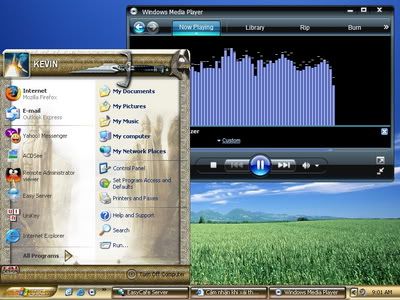
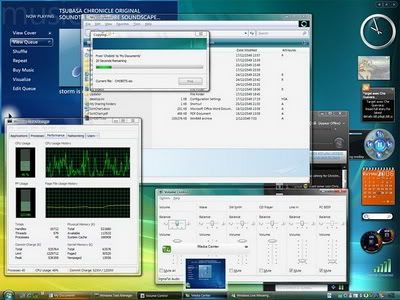
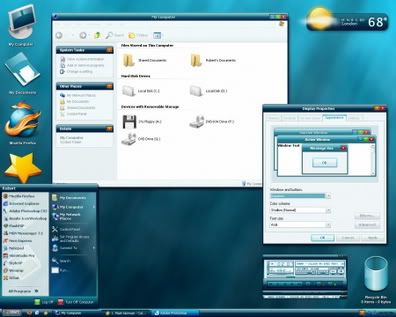
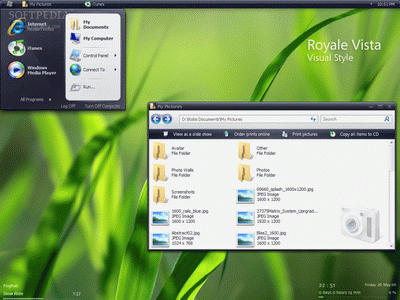
Windows Vista Sidebar 6.0.6001

Windows Vista Sidebar 6.0.6001


Size:


Compatible with both SP2 and SP3 for Windows XP!!!

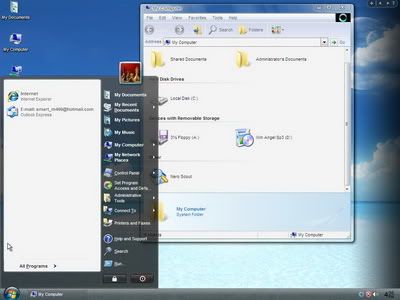
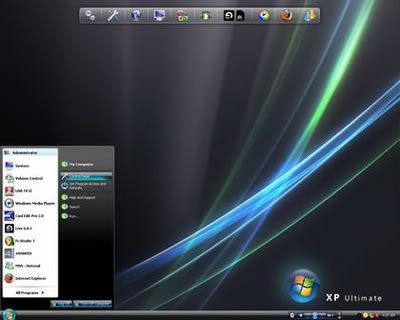
The Windows Sidebar is a widget engine for Desktop Gadgets that is anchored to the side of the Windows Vista desktop. Users can add gadgets from gallery.live.com which were made by other users. Sidebar gadgets can perform various tasks, such as displaying the time and date and showing the CPU usage.

The Sidebar contains mini-applications or Gadgets which may be used to display information such as the system time, Internet-powered features such as RSS feeds, and to control external applications such as Windows Media Player. Desktop Gadgets can also run on the Windows desktop, separate from the Sidebar.

Dung lượng: 18.51 MB
__________________

Thật dễ dàng biến giao diện WinXP thành Win7.

Thật dễ dàng biến giao diện WinXP thành Win7.

Thật dễ dàng biến giao diện WinXP thành Win7.
Bộ themes (skin) này bao gồm :
+Windows Se7en Theme (Theme của Windows Se7en)
+Windows Se7en Logon (Màn hình Logon của Windows Se7en)
+Windows Se7en Boot (Màn hình Boot của Windows Se7en)
+Windows Se7en Wallpapers
+Windows Se7en Styler ToolBar (Toobar của Windows Se7en)
+Windows Se7en Sound (Âm thanh của Windows Se7en)
+Windows Se7en Help (Phần trợ giúp của Windows Se7en)
Các bạn có thế dùng chương trình TuneUp Utilities 2008/2009 để sử dụng bộ themes này !


Download: :..:
:..:

http://www.megaupload.com/vn/?d=Z6S0MZN5

__________________

EvJO Wallpaper Changer 2.0 :Thay đổi hình nền tự động !

EvJO Wallpaper Changer 2.0 :Thay đổi hình nền tự động !

EvJO Wallpaper Changer 2.0

Dung lượng 1,7MB.

Sử dụng:

Tạo danh sách các hình ảnh muốn dùng làm Wallpaper trong thẻ WAllpaper , Thiết lập tùy chọn và thời gian thay đổi hình nền trong thẻ Change Frequency.


__________________
Theo HanhTrangSinhVien

Đem video làm ảnh nền cho Desktop

Đem video làm ảnh nền cho Desktop

(Dân trí) - Thường thì ảnh nền Desktop (còn gọi là Wallpaper) là các bức ảnh tĩnh, có khi nào bạn nghĩ rằng màn hình Desktop của mình sẽ được lấp đầy bằng một đoạn video clip thay cho một bức ảnh đơn điệu không?


Phần mềm miễn phí XPScene với dung lượng “bé hạt tiêu” sẽ giúp bạn thực hiện được điều đó. Sau khi tải về file nén của chương trình (dung lượng khoảng 99KB), bạn dùng một phần mềm bung nén để trích xuất ra ổ ứng file XPScene.exe (dung lượng 148KB). Kích đúp vào file XPScene.exe này, bạn sẽ thấy giao diện khá bắt mắt và thân thiện của chương trình: giao diện được chia thành 3 khung chính (tương ứng với 3 step) và 3 nút bấm được đánh số như trong hình sau.
Bước 1: Bạn hãy bấm vào Nút 1 và chọn đến file video mà bạn muốn làm ảnh nền với định dạng mặc định là WMV, AVI và MPEG. Nếu Windows Media Player của bạn hỗ trợ đọc được các định dạng file khác (như MOV, MP4, FLV) thì bạn cũng có thể chọn các file dạng đó. Chọn xong nhấn OK.

Sau đó kích chọn vào mục Stretch video to display size để sau này đoạn video clip sẽ hiển thị hết màn hình Desktop.

Bước 2: Bạn bấm vào Nút 2 và chọn thư mục lưu dữ liệu xuất ra của chương trình (là một file web dạng HTML và file Video mà bạn chọn). Ở đây tôi chọn thư mục My Pictures nằm trong My Documents để tiện cho việc chọn nó ở bước sau. Nhấn OK để chấp nhận.
Bước 3: Xong hai bước trên, bạn bấm vào Nút 3 để chương trình làm việc, việc này mất chưa đến 1 giây. Khi chương trình làm việc xong, bạn sẽ thấy nó hiện dòng chữ hoàn tất. Đến đây, bạn hãy tắt chương trình này đi.
Việc cuối cùng, bạn hãy trở ra màn hình Desktop, nhấp chuột phải lên Desktop, chọn Properties. Trong hộp thoại Display Properties, bạn hãy kích chuột lên thẻ Desktop. Trong khung Background bạn tìm đến file HTML mà chương trình tạo ra.
Nếu ở bước 2 bạn chọn thư mục lưu khác với thư mục My Pictures, bạn hãy bấm nút Browse để tìm đến file HTML ở thư mục khác mà bạn chọn. Sau đó bấm OK để hoàn tất. Giờ đây Desktop của bạn đã có một Video làm ảnh nền rồi.

Điều cần chú ý ở đây là bạn sẽ không thấy được menu chuột phải thông thường khi nhấp chuột phải lên Desktop nữa mà thay vào đó là menu của Windows Media Player. Để mở lại hộp thoại Display Properties và chọn ảnh nền khác, bạn hãy vào Start Menu, chọn mục Run, gõ vào đó chữ DESK.CPL và nhấn Enter.

Công việc đổi lại hình nền giờ là của bạn. Chúc bạn thành công!

Nhím
__________________

100 Themes XP và 30 Themes vista cực đẹp cho Windows Xp

100 Themes XP và 30 Themes vista cực đẹp cho Windows Xp


Tải về 100 Themes xp(S829)| Size: 47.64MB
Quote:
http://www.mediafire.com/?i2j5zzzgfzz


30 Themes vista(S832)| Size: 15MB
Quote:
http://www.mediafire.com/?kzzwywjmzmk


Quote:
Nếu ko apply theme được hãy dùng UX theme patcher để patch file uxtheme.dll trong system32.các bạn copy ux theme patcher vào windows/system32. rồi chạy là ok


UX theme patcher

Quote:
http://www.mediafire.com/?mnwwdvffjze
Theo HanhTrangSinhVien

Screensaver DigiFish Dolphin 1.02 - Bể cả tuyệt đẹp cho Screensave


Dolphins are symbols of freedom, joy, grace and tranquility. Their unique intelligence is amazing and they are capable of bringing delight to crowds all over the world. Digifish Dolphin gives you a rare chance to observe and play with most realistic virtual dolphins in fully 3D oceanic environment.

Dung lượng: 32 MB
Download full


__________________

Download free Desktop iCalendar 1.9.2.0

[Image]

Ever forget a friend's birthday?  Want to get your team schedule in time? Look no further than Desktop iCalendar, the powerful windows desktop calendar. Bring the power of Google Calendar right to your Windows desktop with Desktop iCalendar.

>>> Get your events and to-do list instantly.
>>> Get all the weather information you need.
>>> Sync calendar with Google Calendar automatically.
>>> Add to-do list for Google Calendar

The easy-to-use interface makes it a snap to stay informed with the latest events,to-do list and weather information. You can completely customize the skins. You can even download Google calendars and have them show up on your windows desktop. In addition, Desktop iCalendar can support to-do list for Google Calendar.

Официальный сайт | Home Page www.desksware.com

Desktop iCalendar 1.9.2.0 + Keygen-CRD

Размер: 1.5 MB


[Image] Скачать | Download

[Image] Скачать | Download

[Image] Скачать | Download

[Image] Скачать | Download


Пароль/Password: www.2baksa.net

Download Free Power Screen Capture 7.1.0.243

[Image]

Power Screen Capture, you can capture screen from your desktop with high quality. Besides, it offers you the function of capturing video and image from other devices, DV and TV tuner. A list displays all the files captured by Power Screen Capture, and then you can view, copy, delete and rename these files freely and easily! Various settings let you set video compression codec, audio compression codec, output frame size and frame rate. You can also set properties of each capture device, preview and record real-time video, watch TV (TV Tuner is installed), add water mark or texts on video or image, etc.

Features List:
- Capture screen from your desktop.
- Capture video and image from DV, TV Tuner and other devices.
- Preview and record real-time video.
- Record video and even sound (audio device connected).
- Browse or edit captured media files.
- Set hotkey to activate screen capturing instantly.
- Set properties of capture device.
- Set multiple video and audio encoder settings.
- Adjust output settings for high quality files.

Официальный сайт | Home Page www.jamvideosoftware.com

Power Screen Capture 7.1.0.243 + Serial

Размер: 5,1 MB


[Image] Скачать | Download

[Image] Скачать | Download

[Image] Скачать | Download

[Image] Скачать | Download


Пароль/Password: www.2baksa.net

Download Talisman Desktop v3.21.3210

Talisman Desktop (Talisman) - программа - оболочка для Windows 9x/Me/NT4/2000/XP/2003/Vista , позволяющая создавать новые интерфейсы Рабочего Стола Windows. Вы можете создать свой собственный интерфейс "с нуля" либо воспользоваться сотнями готовых "тем" доступных в интернете. Основной сферой применения "Talisman" являются домашние и офисные компьютеры. Практически каждый день в сети появляются все новые и новые непохожие друг на друга темы, созданные пользователями программы.


[Image]

Desktop Manager and Shell Replacemant: replaces the standard Windows Desktop through the creation of a new interface of any complexity. Talisman is capable of making your computer unique and completely responsive to your needs as a user.
"Talisman Desktop" (Talisman) is a desktop alternative and shell-replacement for Windows 9x/ME and NT/2000/XP/2003/Vista, capable of transforming your desktop into an interface organized as you like. The programs basic purpose: Launch other applications in a new interface, instead of the standard Windows desktop. But the opportunities presented by "Talisman" are much broader. The program does not limit your computer fantasies - draw anything you like and arrange it as your imagination tells you to. When you get tired of looking at the same screen - change it all over again. If you are in a good mood - throw flowers and favorite photos on the screen. If youre not feeling so bright - leave the black screen with lonely Norton Commander or winking Bill Gates. Create invisible buttons - they will open those places and the pictures, known only to you. Construct galleries of the best pictures and photos. Simply create your own little world, created by and for you, instead of staring at the same lines of icons on your desktop, year after year.

В отличие от стандартных "тем" Windows, Talisman позволяет полностью изменять и настраивать интерфейс компьютера. Вы можете добавлять на свой Рабочий стол любые обьекты от простых кнопок, текстов и рисунков до сложных наборов панелей и дополнительных окон. Как стандартные обьeкты Talisman использует различные виды часов, календари, списки файлов или команд, HTML и Flash вставки, поля ввода информации, иконки и зуммеры любого размера от 16 до 128 пиксел. Программа имеет собственные, легко настраиваемые Панель Задач и Трэй. Огромный набор внутренних команд и возможность использования скриптов позволяют привязывать практически любые системные команды к кнопкам Talisman. Защита обьектов от редактирования, блокировка и скрытие любого элемента системы, а также возможность парольного доступа к избранным функциям позволяют создавать защищенные интерфейсы для публичных компьютеров, где пользователям разрешается работать лишь с ограниченным числом функций системы.

Основные возможности и особенности:
* Использование вместо иконок любого числа интерактивных обьектов произвольных форм и размеров.
* Свободное перемещение и наложение объектов друг на друга в пределах рабочего поля .
* Запуск программ и команд одним щелчком мыши.
* Возможность открытия интернет-страниц с рабочего стола Talisman или встраивания этих страниц напрямую в Talisman.
* Возможность создания множества дополнительных "Рабочих столов" и "форм" для размещения кнопок и рисунков, а также быстрый переход между этими формами.
* Возможность создания множества независимых тем (интерфейсов) и быстрое переключение между ними.
* Встроенный редактор интерфейса, обеспечивающий редактирование, создание и удаление любых элементов.
* Большое число основных обьектов (формы, тексты, картинки, поля ввода, кнопки разных типов, меню, таймер, аналоговые и цифровые часы, календари, списки и другие обьекты.)
* Поддержка XP-иконок (32-бит, альфа-канал) любых размеров от 16x16 до 128х128 пикселей.
* HTML и Flash-обьекты. Через подобные обьекты в рабочее поле вставляются Flash анимации, JAVA скрипты и игры, VRML-миры и многое другое.
* Звуковое сопровождение всех действий.
* Возможность работы в качестве shell. Talisman имеет собственные настраиваемые taskbar, system tray, часы.
* Возможность использования составных комманд, скриптов.
* Создание любого количества "Горячих Кнопок" (HotKeys).
* Подключение дополнительных плагинов.
* Любые методы управления: мышка, клавиатура, ДУ пульты, точскрин.
* Функции защиты от любых изменений интерфейса. Паролирование доступа к необходимым элементам интерфейса.

With the help of "Talisman" you can create your own interface or use one of the hundreds ready themes that are available in our collections and in the internet. Interface (theme) is a set of screens, forms, "rooms" and objects. All these objects are interactive and respond to movements or clicks of the mouse.

The basic sphere of application of "Talisman" is the creation of custom-made interfaces for home and office computers. Talisman Desktop also allows to create:
* Presentation interfaces for Exhibitions, Shows, Advertisement, etc. Example
* Protected interfaces for Game Clubs, Information Kiosks, Museums, Libraries and other organizations. Examples
* Protected interfaces for Hotels, Schools, Universities and other organizations where the limited set of accessible programs is necessary. Example
* Childrens interfaces. Examples
* HTPC (Home Theater PC), Media Center interfaces. Example
* Car PC interfaces (built-in car computers). Example
* Desktop Panels. Desktop Panels covers only a part of desktop. They allow to add Talisman functionality to your standard Windows workspace. Examples
* Tablet PC, touch-screen interfaces.
* Interfaces for companies.
* Other non-standard and protected interfaces for Windows-based computers.

Supported languages:

· English,
· German
· French
· Japanese
· Spanish
· Russian
· Arabic
· Chinese
· and other ...

New in Talisman Desktop 3.21 build 3210
==========================

- Fixed a problem with "User Account Control" in Windows7/Vista (error message at start).
- Added new option for HTML object "Show/Hide scrollbars".
- Fixed some small bugs.

System requirements:

Pentium-300 or better, 128Mb RAM or higher, video card with High Color (16bit) or True Color (24bit, 32bit) mode, Windows9x/ME, Windows NT4/2000, Windows XP, Windows Vista/7

Homepage http://www.lighttek.com/talisman.htm

Talisman.Desktop.v3.21.3210-TE

Размер: Size: 9.40 MB

[Image]
Скачать/Download - RapidShare


Зеркало/Mirror - DepositFiles

Зеркало/Mirror - HotFile.com

Зеркало/Mirror - Turbobit.net

Зеркало/Mirror - Letitbit.net

Пароль/Password: www.2baksa.net

VanDyke SecureCRT v6.5.3 (x86/x64)

[Image]

SecureCRT gives you an encrypted Secure Shell (SSH1 and SSH2) session with servers and devices. For SSH, Telnet, Telnet/SSL, and other protocols, SecureCRT's tabbed sessions reduce desktop clutter and make it easy to switch between sessions and organize groups of connected sessions. Extensive session management and customization features include named sessions, and multiple-session windows. Choose from a wide range of emulations including VT100, VT102, VT220, ANSI, SCO ANSI, Wyse 50/60, Xterm, and Linux console. SecureCRT can help you save valuable time by automating routine configuration tasks with powerful scripting capabilities.

SecureCRT 6.1 extends your ability to customize your workflow and automate routine tasks with new session management and scripting capabilities. You can search from the Connect dialog, disconnect and reconnect all tabbed sessions, and launch a remote command or application when you connect to a session. Scripting enhancements include support for accessing session options, accessing the clipboard, and sending special keys. Additional logon options allow you to save usernames and passwords with keyboard-interactive authentication and enter Secure Shell logon credentials in the terminal window making it easier to script logons.

Key features:
• Wide range of terminal emulations: VT100, VT102, VT220, ANSI, SCO ANSI, Xterm, Wyse 50/60, and Linux console, with support for ANSI color with color schemes in all emulations.
• Extensive session management features: Tabbed UI with ability to move tabs in and out of SecureCRT windows and the Activator tray utility minimize desktop clutter. Session settings can be saved in named sessions.
• Multi-session launch: Folders and multiple selected sessions can be connected in tabs from the Connect dialog, the command line, or launched at startup in an auto session. Right-clicking on a folder connects the sessions in tabs.
• Protocol support: Supports SSH1, SSH2, Telnet, Telnet/SSL, RLogin, Serial, and TAPI protocols.
• Secure Shell: Secure Shell encrypted logon and session data, including support for the following:
- Port forwarding secures TCP/IP data
- Password, public-key, keyboard-interactive, X.509, and Kerberos authentication
- AES, Twofish, Blowfish, 3DES, and RC4 ciphers
- X11 forwarding
- Activator support for SSH Agent functionality.
• File transfer: Secure file transfers via SFTP, and via Xmodem, Zmodem, and Ymodem when used in conjunction with SSH1 or SSH2.
• Integration with SecureFX® file transfer client: SecureCRT and SecureFX can share the global options, session options, and the host key database so you only need to perform operations like setting application defaults, sessions settings, or accepting a server's host key once. SecureCRT and SecureFX can share passwords and passphrases while either application or the Activator utility is running and both SecureCRT and SecureFX sessions are displayed on the Activator menu. Launch either application from a toolbar button and specify a session to connect to. A combined installer is available that installs both clients and their DLLs into the same folder, making it easy to install SecureCRT and SecureFX and keep them in sync.
• Configuration: Extensive session and keyboard customization including a button bar which allows you to map buttons to configuration commands or actions, such as sending strings, running scripts, menu functions, and protocol commands. Different button bars can be created for specific sessions or operations.
• Powerful printing: Printing support, including pass-through printing.
• Scripting support: Scripting language support for VBScript, JScript, and PerlScript. A script recorder automatically creates a VBScript based on keystrokes, including function keys.
• FIPS 140-2 support: When an administrative option to run in "FIPS Mode" is set, SecureCRT uses a FIPS 140-2 validated cryptographic library and only allows FIPS-approved algorithms.

Особенности программы:
» Поддержка SSH1, SSH2, Telnet, Telnet/SSL, RLogin, Serial, и TAPI протоколов
» Авторизация пользователя как в интерактивном режиме, так и через публичные ключи (RSA, DSA и Smart Cards)
» Шифрованное перенаправление портов.
» Расширенная поддержка для X.509 "горячих ключей"
» Поддержка OpenSSH форматов публичных и приватных ключей.
» Управление ключами хоста позволяет просматривать, импортировать и экспортировать ключи.
» Шифрование X11 соединений.
» Сжатие данных удобно при dial-up подключениях.
» Эмуляция большого числа терминалов: VT100, VT102, VT220, ANSI, SCO ANSI, Wyse 50/60, Xterm, и Linux console
» Поддержка XTerm: изменение заголовка окна и передача на сервер событий мыши.
» Настройка размера окна.
» VCP позволяет копировать файлы с использованием протокола SFTP
» Управление и настройка SecureCRT может осуществляться при помощи VBScript, JScript, и PerlScript.
» Поддержка SOCKS v4 и v5
» Все соединения могут устанавливаться через HTTP-прокси
» Возможность запуска из браузера
» SecureCRT может использоваться для подключения к устройствам подключенным к COM-портам

OS: Windows 2000/XP/2003/Vista/Seven
Language: English

[Image]
Homepage - http://www.vandyke.com/products/securecrt/index.html
[Image]
Link ~ rapidshare.com    |    Mirror ~ depositfiles.com    |    Mirror ~ letitbit.net    |    Mirror ~ turbobax.net    |    Mirror ~ uan.ifolder.ru

VanDyke.SecureCRT.v6.5.3-TBE
Размер: 9.8 MB

Пароль/Password: www.2baksa.net

BumpTop Pro v2.10.6225 Multilingual

[Image]

BumpTop is a fun, intuitive 3D desktop that keeps you organized and makes you more productive. Like a real desk, but better. Your desktop doesn't have to be a boring graveyard for lost and forgotten files anymore! Transform it with BumpTop. Create the desktop that suits your needs and style. BumpTop lets you create piles, just like you do in real life. But with advanced search and sort capabilities, you'll always find what you're looking for. BumpTop lets your style dictate the look and feel of your desktop. With dozens of themes to choose from, you can find the one for you. Serene blue or firely flames, change your desktop to suit your moods. BumpTop lets you visually connect with your desktop. Pin important files or sticky notes to your wall so you don't forget them. And with BumpTop, more frequently used files get bigger and heavier so you can find them easily.

Features:
• Organize different documents, files etc.
• Get Organized, Instantly
• Toss files to Print, Email or USB key
• Not All Files are Created Equal
• Luscious Thumbnail Previews
• Toss Pics to your Friends via social networks
• Immersive 3D & Physics
• Zooming Photo Slideshows
• Powerful Gestures features
• Support Themes

Homepage - bumptop.com

BumpTop.Pro.v2.10.6225.Multilingual-NOY

Размер: 18,55 MB

[Image]
Скачать/Download - RapidShare

Зеркало/Mirror - DepositFiles

Зеркало/Mirror - HotFile.com

Зеркало/Mirror - Turbobit.net

Зеркало/Mirror - Letitbit.net

Пароль/Password: www.2baksa.net

DeskSpace v1.5.7.2 Retail

[Image]

DeskSpace significantly increases your desktop space, allowing you to work and play on multiple desktops. With DeskSpace you can work with multiple desktops in 3D, and quickly switch between desktops using the mouse and keyboard.

DeskSpace dramatically enhances your desktop experience, allowing you to:
* Work and play on multiple desktops.
* Display multiple desktops in stunning 3D.
* Quickly switch between desktops using the mouse and keyboard.
* Drag windows between desktops by moving them to the sides of the screen.
* Display desktops in 3D on multiple monitors.
* Configure the hot keys and mouse buttons used to switch between desktops, and how DeskSpace displays and manages desktop.
* Use DeskSpace in multiple languages.

Get Organized
DeskSpace gives you more space for your windows and icons. You can eliminate desktop clutter by arranging your windows and icons across up to six desktops, all easily reachable by navigating a desktop cube.

Get Customized
DeskSpace lets you have different desktop wallpapers and icons on each desktop. You can also choose a name and picture for each desktop, to make them easier to recognize.

Get Productive
DeskSpace gives you separate desktops for each of your day-to-day tasks, and lets you to quickly and easily switch between desktops and the applications on them.

Get Compatible
DeskSpace runs on low-end netbooks, high-end desktops, and everything in-between. You can run DeskSpace on up to nine monitors, and it works on both 32-bit and 64-bit versions of Windows XP, Windows Vista, and Windows 7.

Год выпуска / Release year: 2010
Сайт / Homepage: http://www.otakusoftware.com/deskspace/
ОС / OS: Windows 2K/XP/2K3/Vista/7
Язык / Language: Eng/Англ.
Лекарство / Activation/Crack/Serial/etc: не требуется / It is not required
Размер / Size: 12.3 Mb

[Image][Image]

- Скачать/Download (rapidshare.com)

- Скачать/Download (hotfile.com)

- Скачать/Download (depositfiles.com)

- Скачать/Download (Lititbit.net)

- Скачать/Download (4files.net)

Otaku.Software.DeskSpace.v1.5.7.2.Retail-TCi
5% на восстановление / 5% for RAR recovery...
Пароль/Password: www.2baksa.net

CamPaper v1.64

[Image]


Auto updates your wallpaper "desktop background" with web camera views from around the world Over 350 sites to view and climbing + Your own Picture folders + Your internet favorites

Some Live Camera Locations (Plus your picture folders)

CANADA
BC - Vancouver, English Bay, Harbours, Kitsilano, Jerico, Westminster, Beluga Whales in Aquarium
BC - Vancouver Island, Parksville, Victoria OakBay, Cowichan,Saanichton
AB - Vernon, Banff, Calgary
ON - Niagara falls, Mississauga
NS - Halifax University, Peggy's cove, Harbor, many more

USA
NY - New York City
NJ - Newark
FL - Ft. Lauderdale
CA - San Francisco, Sausalito, LA Altadena, Zebra-Camels, Balboa Ferry, Balboa Yacht Club, Huntington Beach
FL - Daytona Beach, Fort Lauderdale
WY - Jackson Hole
Hi - Maui
AK - Homer
MO - Saint Louis
NC - Surf City
Universities - Arizona, Vermont, Washington Tacoma, Wisconsin, Wisconsin, South Carolina Roach Camera, UCLA - Mt. Wilson
National Parks - Acadia, Washington D.C., Great Smoky Mountains, Mammoth Cave, Theodore Roosevelt, Big Bend National Park, Grand Canyon, Joshua Tree, Sequoia-Kings Canyon, Point Reyes, Mount Rainier, North Cascades, Olympic, Glacier, Old Faithful Geyser in Yellowstone, Mammoth, Yosemite, Kilauea Volcano Pu`u `O`o's crater, Mount St. Helens
Other - Willard Library Ghost Cams, Wildlife Eagle Cam, Butterfly Cam

Mexico
Riviera Maya

CARIBBEAN
West French Indies, St. Maarten/St. Martin

UK
Scotland - LockNess
Liverpool-Mathew St

Greece
Santorini

Japan
Mt. Fuji

Egypt
Pyramids

France
Paris - Eiffel Tower

Switzerland
Zermatt

Germany
Heidelberg, Walddun, Museum, franken

Spain
Barcelona, Beaches

Netherlands
Port - Westerschelde, Antilles Bonaire Marine park
Croatia

China
Shanghai
Canary Islands

Austria
Mauterndorf, Hallstatt, Bad Gastein

Italy
Pesaro Urbino, Rivergaro, Portofino, Colfosco,Genoa

Panama
Canal Miraflores, Gatun, Bridge

Australia
Sydney, Victoria, Darwin, Perth, Hobart

RUSSIA
Saint Petersburg, Moscow - various, Volgograd

Other
Cruise Ship - Crystal Cruises
Greenpeace Ship
World Earthquakes
North America Weather map, Satellite, Radar, Doppler Radar Oklahoma
Live Telescope of sky

Размер | Size: 4.36 Mb
ОС | OS: Windows 2000/XP/Vista/7
Официальный сайт | Home Page: campaper.com
Интерфейс | Interface: English

CamPaper.v1.64-BEAN

[Image]


[Image] Скачать | Download
[Image] Скачать | Download
[Image] Скачать | Download
[Image] Скачать | Download

Пароль/Password: www.2baksa.net

Windows 7 Sidebar 3 For XP & Vista

The Windows 7 Sidebar for Microsoft Windows XP and Vista has gadgets like media players, google search, yahoo search and lots of more search engines. It has also vista sidebar gadgets like weather and system uptime and lots of more useful gadgets. The sidebar uses 50% less RAM and is faster than the original Microsoft Sidebar with more extras and works on Microsoft Windows Vista and XP.

Thoosje Windows 7 Sidebar works on Windows XP and Windows Vista. Gadgets are easy to use mini applications that give you information at a glance and provide easy access to frequently used tools. Thoosje Vista Sidebar helps you to organize your gadgets. As you use your computer to access information, perform tasks, and interact with software, you may at times feel like you're facing information overload.

You have to open a web browser just to check the weather, open an application to view your calendar, and open a calculator program just to add up a few numbers. Now, with Windows Sidebar and its associated mini-applications called gadgets, the specific information you need is at your fingertips.

What's New in This Release:

  • Fixed - Clock hands didn't save skin.
  • Fixed - Weather Gadget interaction with weather.com.
  • Fixed - Weather Gadget endless loop.
  • Fixed - Media player Gadget doesn't save position on first load.
  • Fixed - Clock skin icons loaded double images.
  • Fixed - Media player gadget song pane x,y position.


HomePage - Trang Chủ

Size : 5.01 MB

Download - Tải về
Mirror

Stardock SkinStudio Pro v5.0.0 Build 111

SkinStudio is a skin editor for WindowBlinds 5 and 6 that allows users to create visual styles for Windows XP and Windows Vista.


Stardock SkinStudio is a program that allows users to create visual styles for Windows XP and Windows Vista. These visual styles are applied by the popular GUI skinning program, WindowBlinds. A fully complete visual style will change the title bars, borders, push buttons, scrollbars, Start bar, Start menu, and virtually every other part of the Windows GUI.

The new version is designed to make it much easier for new users to get into skinning. Skinners can change as much or little of the GUI as they choose and SkinStudio will fill in the rest for them.

SkinStudio (the non-Pro version) is a free download. Click the download link to start using SkinStudio today!

Features
  • NEW! Added support for animated please wait
  • NEW! Added layer support
  • NEW! Added NWA compression for animation [ED: Yes that stands for Neil WindowBlinds Animation)
  • NEW! Per pixel borders support layers & glyphs
  • NEW! Skin re-coloring
  • Task Oriented Design
  • Clean New Interface
  • Sidebar support
  • Vista Start Menu Buttons
  • Edit Vista Control Panel and navigation parts
  • Support for Internet Explorer 7
  • Taskdialog controls
  • Vista Explorer: Command Bar, Information Pane, List View, Please Wait screen, etc.
  • Explorer background
  • Theme Part Details tab that visually displays components of the skin for easy access
  • Improved support for title bar buttons. Easily change the per-pixel settings
  • Improved support for adding glow effects
  • Improved support for making sub-styles
  • Vista Explorer: Command Bar, Information Pane, List View, Please Wait screen, etc.
  • Explorer background
  • Theme Part Details tab that visually displays components of the skin for easy access
  • Improved support for title bar buttons. Easily change the per-pixel settings
  • Improved support for adding glow effects


Home Page - Trang Chủ

Size : 4.94 Mb

Download - Tải về bản Full (S627)

Google Desktop 5.9.911.3589

Google Desktop giúp việc tìm kiếm trên máy tính cũng đơn giản như tìm kieesm trên web với Google. Đây làm một ứng dụng tìm kiếm trên desktop cung cấp khả năng tìm đầy đủ một đoạn văn bản trong các email, files, music, photos, chats, Gmail, web pages mfa bạn từng xem, và hơn thế nữa. Bằng cách tăng khả năng tìm kiếm cho máy, Desktop mang thông tin tới gần bạn hơn và giải phóng bạn khỏi việc sắp xếp các files, emails và bookmarks một cách thủ công.


Click the image to open in full size.

Google Desktop không chỉ giúp bạn tìm kiếm trên máy tính; phần mềm còn thu thập các thông tin trên web và tổ chức bằng các gadget và sidebar. Google Gadgets có thể đặt ở bất cứ đâu trên giúp bạn theo dõi email, thời tiết, ảnh, xác nhận thông tin và hơn thế nữa. Sidebar là một thanh đứng trên desktop giúp bạn quản lí các gadget.


Home Page - Trang Chủ
Download - Tải về

Stardock WindowBlinds 6.4 Final

WindowBlinds là một chương trình mà cho phép người sử dụng Windows hoàn toàn thay đổi vẻ ngoài giao diện người dùng Windows. Những người sử dụng tùy biến Windows bởi việc sử dụng những kiểu trực quan được tạo ra WindowBlinds. Với những da này, WindowBlinds có thể thay đổi cái nhìn những thanh tiêu đề, những viền, thanh chắn Nhiệm vụ, nút khởi động, thực đơn khởi động,những biểu tượng Thanh công cụ và thực tế mọi bộ phận của Windows khác!

Dựa trên nền WindowBlinds 5 trước đây, phiên bản số 6 mang đến cho người dùng XP và Vista 1 cách cảm nhận hoàn hảo chức năng Aero cùa Vista với hiệu ứng Glass. Với WindowBlinds 5 ta đã làm quen với hiệu ứng Glass, 1 cửa sổ với Khung nền trong suốt trong thật bắt mắt. Khi Vista ra đời giao diện ấn tượng của nó mà đã làm cho WindowBlinds phần đấu và đưa ra phiên bản 6 này. Giờ đây WinXP có thể cũng có 1 giao diện Aero hoàn hảo như Vista, với các tính năng Aero mà không cần phải cài Vista hoặc yêu cầu cấu hình card như Vista. Và với những người dùng Vista bản Stater hay Basic muốn cảm nhận sự sống động của hiệu ứng Aero nhưng do Đồ Hoạ Card hay do chỉ là Vista basic nên không thể mở được Aero,thì với WindowBlinds 6 bạn có thể tự do lựa chon Skin cho Windows mà vẫn có thể mở thêm Aero Glass trong suốt. Với người dùng Vista không chỉ chọn skin cho cửa sổ mà bạn còn có thể thiết kế skin cho SideBar nữa. Chức năng chỉnh giao diện Aero của Window nay đã được Windowblinds hoà nhập làm 1, bạn có thể chỉnh 1 skin bất kỳ nào thêm độ trong nhiều hay trong ít, đổi màu cho nó.không những thế Windowblinds còn cho phép thay đổi độ trong suốt của từng thành phần của Window, như Start Menu, hay TaskBar hay Menu Bar v.v.. và điều nữa WindowBlinds 6 sử dụng tài nguyện ít hơn nhiều so với hiệu ứng của Aero do Vista tạo ra, điều này đồng nghĩa với việc Laptop sẽ xài pin đuợc lâu hơn mà không cần phải sữ dụng tính năng loại Aero để tiếc kiệm năng lượng của Vista .

System Requirements:
  • 1GHz or faster processor recommended
  • 60MB free drive space
  • 256MB RAM
  • A 16MB DirectX 8 or later compatible video card with appropriate driver support is required for per-pixel alpha-blended skins. Some integrated graphics solutions and lower-end cards from before 2004 may not be able to use per-pixel skins.

Stardock IconPackager 4.2

IconPackager is the world's most popular way to change all the icons on your Windows PC all once. IconPackager is a program that allows users to change nearly all of their Windows icons at once by applying "packages" of icons. A package of icons contains icons to replace most of the common icons on your Windows PC. Creating your own icon package is easy, simply choose "Save As..." from its menu after setting up your system just the way you want it. Now you can trade that package with other users or keep is archived for backup purposes. Compatible with Windows 98/ 2000/ ME/ XP/ Vista.

What makes IconPackager special is that unlike Microsoft's themes which only change a few icons, IconPackager changes hundreds of icons. Everything from "My Computer", "Recycle Bin", Folders, all the way to specific file format icons such as .doc and .xls files and any other file type a user wishes to use. With its shell integration, IconPackager also allows users browsing through their system to right-click on any file and go to the added "Icon" tab and change the icon.

Features:
● New! Automatically upscale to extra large size on Windows Vista
● New! Recolor icon sets on the fly
● New! User interface
● Transform all Windows icons
● Thousands of icon packages to choose from on Wincustomize.com
● Use large icons on Windows XP
● Apply random package on boot on Windows XP
● Create icon packages
● Easily preview icons using IconExplorer
● Shell integration to allow for icon changes quickly and easily
● Easily mix and match icons
Languages Supported: Danish, English, French, Italian, Japanese, Korean, Spanish

Homepage

Size: 22.3 MB

Download

Crack Only
__________________
Theo Softvnn

Talisman Desktop v3.1 Build 3100

Talisman Desktop là ứng dụng thay thế cho màn hình Desktop của Windows, cho phép bạn tạo lập bất kì giao diện nào cho máy tính. Chương trình ẩn đi màn hình desktop tiêu chuẩn của Windows. Đặt để số lượng không giói hạn các biểu tượng, nút bấm, hình ảnh cùng các đối tượng khác. Các đối tượng này có thể mang bất kì hình dạng hay kích cỡ và có thể chạy bất kì chương trình hay lệnh nội trú nào. Số lượng các giao diện này không giới hạn. Bất kì đối tượng trên màn hình đều có thể được thiết lập để chuyển từ desktop này sang desktop khác. Mọi thiết lập và hình ảnh được lưu trữ trong một tập tin giao diện. Bạn thậm chí có thể tạo nhiều giao diện và sử dụng các đối tượng kèm liên kết đến một giao diện khác. Bạn có thể thêm các trang HTML và phim Flash lên desktop cũng như thêm âm thanh cho các sự kiện khác nhau. Chương trình hỗ trợ các biểu tượng Windows XP bất kể kích cỡ từ 16x16 đến 128x128. Bạn còn có thể tạo các đối tượng phóng to thu nhỏ từ các biểu tượng này và đặt các biểu tượng đa kích cỡ trên desktop.

Tính năng chính:
  • Tạo các giao diện toàn màn hình (desktop) tùy định đa cấp thay thế hoàn toàn desktop của Windows
  • Tạo các bảng điều khiển desktop tùy định đa cấp có thể hoạt động cùng nhau với các thành phần tiêu chuẩn của Windows
  • Sử dụng số lượng ảnh bất kì với bất kì kích cỡ thay cho các biểu tượng tiêu chuẩn
  • Đặt các đối tượng di chuyển tự do trên không gian Talisman
  • Mọi đối tượng đều có thể dùng để chạy các lệnh nội hay ngoại trú chỉ với một nhấn chuột.
  • Số lượng không giới hạn các Form và Desktop trong một giao diện. Bất kì đối tượng nào trên màn hình cũng có thể thiết lập chuyển đổi qua lại giữa 2 dạng này.
  • Bạn có thể tạo một bộ các giao diện độc lập, sau đó lưu trữ chúng trên bất kì ổ đĩa nào trong máy hay trong mạng nội bộ.
  • Chuyển đổi dễ dàng giữa các giao diện khác nhau thông qua các đối tượng hay qua trình đơn chính của Talisman.
  • Trình biên tập đối tượng Talisman (TOE) tích hợp cho phép tạo lập, chỉnh sửa và loại bỏ bất kì thành phần nào khỏi một giao diện.
  • Số lượng lớn các thành phần cơ bản (biểu mẫu, hình ảnh, nút bấm, nhóm chữ, các đối tượng HTML, khung nhập nhiệu cùng danh sách trình đơn bao gồm trình hiển thị các chương trình mới dùng)
  • Khay hệ thống, thanh tác vụ cùng đồng hồ hệ thống tùy biến
  • Hỗ trợ âm thanh cho mọi sự kiện
  • Truy xuất tới các ứng dụng, danh sách các tiến trình, giao diện, trình dơn thư mục, hộp thoại Run, hộp thoại Find, Desktop, Control Panel, Network, Dialup, Documents cùng các lệnh nội trú khác.
  • Hỗ trợ ngôn ngữ lập trình mã
  • Các trình đơn tùy biến, trình đơn đa cột, biểu tượng 32- bit trên trình đơn.
  • Hỗ trợ Plugin
  • Phím tắt tùy biến
  • Đa ngôn ngữ: A-rập, Bungari, Trung, Trung truyền thống, Séc, Đan Mạch, Hà Lan, Anh, Estonia, Phần Lan, Pháp, Đức, Hêbrơ, Hungari, Ý, Nhật, Na-uy, Ba Lan, Bồ Đào Nha, La Mã, Nga, Xéc-bi, Slovak, Tây Ban Nha, Thụy Điển, Thái, Thổ Nhĩ Kì, Ucraina,...

Trang chủ

Download Full 8.5MB
__________________

Active Desktop Calendar 7.88 Build 091229

Active Desktop Calendar là bộ lịch “treo tường” trên máy tính rất tiện dụng đối với mọi người. Sau khi cài đặt, chương trình này sẽ nằm gọn trong thanh systray của Windows và cho phép người dùng xem thông tin về ngày/tháng/năm nhờ một lần click chuột

Điểm đặc biệt của chương trình là bộ lịch có thể kết hợp với nền Desktop hoặc Wallpaper của máy tính một cách hài hòa và không gây mất thẩm mỹ hay chiếm dụng diện tích màn hình. Ngoài ra, chương trình còn có một số chức năng khá hữu ích như: lập lịch nhắc nhở công việc trong tuần, ghi chú công việc hằng ngày, hiệu chỉnh đồng hồ báo thức...

Active Desktop Calendar rất dễ sử dụng và có tính uyển chuyển khá cao, như cho phép người dùng hiệu chỉnh chế độ hiển thị lịch hay hỗ trợ cơ chế nhiều người dùng mà trong đó mỗi người sẽ có bộ lịch riêng.


Tính năng nổi bật:
* Hòa quyện dữ kiện với wallpaper màn hình nền

* Lịch công tác, các ghi chú, các công việc , các tín hiệu báo động, sự liên lạc

* Nhiều mẫu hình tái diễn cho các ghi chú/các tín hiệu báo động

* Giao diện màn hình nền tương tác

* Đầy đủ các tùy biến (các hình tượng, phông chữ, màu sắc)

* Xuất/nhập/in dữ liệu(CSV, iCal được chấp thuận)

* Mỗi mặt sử dụng bố trí dữ liệu riêng của nó

* Khám phá Tablet PC định hướng màn hình nền Tablet PC

* Kiểm soát hai / nhiều hệ thống

* Group calendar data in layers

* Chi sẻ dữ liệu trên một mạng LAN

* Trực tiếp kết nối với Outlook®

* Gồm lịch Google®

System Requirements: Windows 2000/XP/Vista/W7

Homepage - Trang chủ

[Image] Download - Tải về phiên bản 32 bit - Size: 4.72 MB
[Image] Download - Tải về phiên bản 64 bit - Size: 5.07 MB

[Image] Thuốc - Keygen
Code:
DC970-47B5E-688FC
DCB29-EB881-1E4E4
DCA1A-86FA0-DCC76
DC93E-353C3-BDD92
DC9F0-77711-7EFBB
DCA5A-9E811-7A10C
DCB60-FFF33-C842C
DC9D2-6C484-9EF7B
DCAA8-BBBBB-32B88
DC9FE-7C92D-FDC6F
DCAD6-CCCCC-32A08
DCB04-DDDDD-328F8
DCB32-EEEEE-32778
DC8DD-11111-328C8
DC90B-22222-32748
DC939-33333-32638

Theo Softvnn